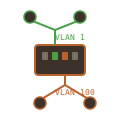
This post documents setting up VLAN separation to isolate Kubernetes cluster traffic from bulk data transfers on a dual-homed node. The minis node has two NICs - one for Kubernetes API and overlay networking, another for pod data traffic like large file downloads.
The Problem
The minis Kubernetes node in the DMZ became unresponsive during large file transfers. Pods downloading or uploading large files saturated the network connection, affecting Kubernetes API communication, kubelet health checks, and Calico VXLAN overlay traffic.
Network Topology
The goal is to separate traffic using VLANs:
┌─────────────────────────────────────────────────────────────┐
│                        OPNsense                             │
│  igc3 (VLAN 1 untagged) ─── 192.168.4.1/24 (K8s/Mgmt)      │
│  vlan01 (VLAN 100 tagged) ─ 192.168.5.1/24 (Data)          │
└─────────────────────┬───────────────────────────────────────┘
                      │ trunk (VLAN 1 native, VLAN 100 tagged)
                  ether5
             ┌────────┴────────┐
             │  MikroTik CRS310│
             │  192.168.4.101  │
             └┬──────────────┬─┘
          ether7          ether6
         (PVID 1)       (PVID 100)
              │              │
         enp195s0       enp196s0
              └──────┬───────┘
                   minis
           192.168.4.50    192.168.5.x
           (K8s traffic)   (Data traffic)
Hardware
- MikroTik CRS310-8G+2S+: Managed switch with VLAN support
- OPNsense: Firewall/router with Kea DHCP
- minis: Kubernetes node with two Intel NICs
Step 1: Create VLAN Interface on OPNsense
Create VLAN 100 on the DMZ interface (igc3) using the OPNsense API:
curl -s -k -u "$API_KEY:$API_SECRET" \
  'https://firewall.minoko.life:8443/api/interfaces/vlan_settings/addItem' \
  -X POST -H 'Content-Type: application/json' -d '{
  "vlan": {
    "if": "igc3",
    "tag": "100",
    "pcp": "0",
    "descr": "DMZ_Data"
  }
}'
Apply the VLAN configuration:
curl -s -k -u "$API_KEY:$API_SECRET" \
  'https://firewall.minoko.life:8443/api/interfaces/vlan_settings/reconfigure' \
  -X POST
Step 2: Assign and Configure the VLAN Interface
In the OPNsense web UI (Interfaces → Assignments):
- Add
vlan01 (DMZ_Data)as a new interface - Configure the new interface (OPT4):
- Enable: checked
- Description:
DMZ_Data - IPv4 Configuration Type: Static IPv4
- IPv4 Address:
192.168.5.1/24
Step 3: Configure DHCP for the New Subnet
In Services → Kea DHCP → DHCPv4 Settings → Subnets, add:
| Setting | Value |
|---|---|
| Subnet | 192.168.5.0/24 |
| Description | DMZ_Data |
| Pools | 192.168.5.100-192.168.5.200 |
| Auto collect option data | checked |
Enable DHCP on the new interface via API:
curl -s -k -u "$API_KEY:$API_SECRET" \
  'https://firewall.minoko.life:8443/api/kea/dhcpv4/set' \
  -X POST -H 'Content-Type: application/json' -d '{
  "dhcpv4": {
    "general": {
      "interfaces": "lan,opt1,opt2,opt4"
    }
  }
}'

curl -s -k -u "$API_KEY:$API_SECRET" \
  'https://firewall.minoko.life:8443/api/kea/service/reconfigure' -X POST
Step 4: Add Firewall Rule for VLAN 100
Allow traffic from the new VLAN to the internet:
curl -s -k -u "$API_KEY:$API_SECRET" \
  'https://firewall.minoko.life:8443/api/firewall/filter/addRule' \
  -X POST -H 'Content-Type: application/json' -d '{
  "rule": {
    "enabled": "1",
    "action": "pass",
    "interface": "opt4",
    "direction": "in",
    "ipprotocol": "inet",
    "protocol": "any",
    "source_net": "opt4",
    "destination_net": "any",
    "description": "Allow DMZ_Data to Internet"
  }
}'

curl -s -k -u "$API_KEY:$API_SECRET" \
  'https://firewall.minoko.life:8443/api/firewall/filter/apply' -X POST
Step 5: Configure MikroTik VLAN Table
Connect to the MikroTik switch via SSH and configure the VLAN table:
# VLAN 100: tagged on trunk (ether5), untagged on access port (ether6)
/interface/bridge/vlan/set [find vlan-ids=100] tagged=ether5 untagged=ether6

# VLAN 1: untagged on management and access ports
# Critical: bridge must be UNTAGGED, not tagged
/interface/bridge/vlan/set [find vlan-ids=1] tagged="" untagged=bridge,ether1,ether5,ether7
Verify port PVIDs are correct:
/interface/bridge/port/print
# ether5 (trunk): PVID 1
# ether6 (data):  PVID 100
# ether7 (k8s):   PVID 1
Step 6: Enable VLAN Filtering
Before enabling VLAN filtering, create a backup:
/system/backup/save name=pre-vlan-filtering
Enable VLAN filtering:
/interface/bridge/set bridge vlan-filtering=yes
Verify the switch is still reachable:
ping 192.168.4.101
Step 7: Renew DHCP on minis
On the minis node, renew DHCP on the data interface to get an IP from the new subnet:
sudo nmcli connection down "Wired connection 2"
sudo nmcli connection up "Wired connection 2"
Verify the new IP:
ip addr show enp196s0
# Should show 192.168.5.x
Final Configuration
| Interface | VLAN | IP | Purpose |
|---|---|---|---|
| enp195s0 (ether7) | 1 | 192.168.4.50 | Kubernetes API, kubelet, Calico |
| enp196s0 (ether6) | 100 | 192.168.5.100 | Bulk data transfers |
MikroTik VLAN table:
# BRIDGE  VLAN-IDS  CURRENT-TAGGED  CURRENT-UNTAGGED
0 bridge       100  ether5          ether6
1 bridge         1                  bridge, ether1, ether5, ether7
Lessons Learned
Bridge must be untagged for management VLAN: The previous lockout occurred because the bridge was configured as tagged for VLAN 1. Management traffic needs the bridge interface to be untagged.
Kea DHCP requires explicit interface selection: Creating a subnet is not enough - the DHCP server must be configured to listen on the interface.
Trunk port configuration: The uplink port (ether5) carries VLAN 1 as native (untagged) and VLAN 100 as tagged. This matches OPNsense where igc3 handles untagged traffic and vlan01 handles tagged VLAN 100.
Always backup before enabling VLAN filtering: MikroTik’s
/system/backup/savecreates a restore point. MAC-Telnet provides Layer 2 recovery if IP connectivity is lost.
Next Steps
To fully utilize the traffic separation, policy-based routing on minis would direct specific pod traffic via enp196s0. This could be done with:
- Network namespaces for pods requiring high bandwidth
- iptables/nftables marking and routing rules
- Multus CNI for Kubernetes multi-network pods