Trading chart with Kubernetes pods processing data through a pipeline

Mochi: An Algorithmic Trading Backtest Platform on Kubernetes

Mochi is a self-hosted algorithmic trading backtest platform. It takes a stock ticker and date range, downloads historical market data, runs trading strategy simulations across multiple parameter combinations, aggregates the results with Trino, generates statistical graphs with R, and presents everything through a React dashboard. The entire pipeline runs on a homelab Kubernetes cluster orchestrated by Argo Workflows. Architecture Overview ┌──────────────────────────────────────────────────────────────────────────┐ │ dashboard.minoko.life │ │ React + Vite + TypeScript │ │ S3 client (MinIO) ─── Backtest API client │ └──────────────┬───────────────────────────────┬───────────────────────────┘ │ │ ▼ ▼ ┌──────────────────────┐ ┌──────────────────────────┐ │ MinIO (S3 API) │ │ Backtest API (FastAPI) │ │ s3.minoko.life │ │ backtest-api.minoko.life│ │ 13 buckets │ │ POST /backtest │ └──────────┬───────────┘ └────────────┬─────────────┘ │ │ │ ┌───────────────────▼──────────────────┐ │ │ Argo Workflows │ │ │ workflows.minoko.life │ │ │ │ │ │ Phase 1: backtest-pipeline │ │ │ ┌────────┐ ┌──────────┐ ┌────────┐ │ │ │ │Polygon │→│Enhancer │→│Metadata│ │ │ │ │Python │ │Kotlin │ │Python │ │ │ │ └────────┘ └──────────┘ └───┬────┘ │ │ │ │ │ │ │ Phase 2: per scenario (x N) │ │ │ │ ┌──────────────────────────┐│ │ │ │ │mochi-trades (Java) ││ │ │ │ │ │ ││ │ │ │ │sync-partitions (Trino) ││ │ │ │ │ │ ││ │ │ │ │mochi-aggregate (Java) ││ │ │ │ │ │ ││ │ │ │ │ ┌──┴──┬──────┐ ││ │ │◀─────────────│──│ │years│stops │best- ││ │ │ results │ │ │ .r │ .r │traders.r││ │ │ │ │ └─────┴──────┴────┬────┘│ │ │ │ │ trade-extract (Kt) │ ││ │ │ │ │ py-trade-lens (Py) │ ││ │ │ │ │ trade-summary (Py) │ ││ │ │ │ └──────────────────────────┘│ │ │ └──────────────────────────────┘ │ │ │ │ ┌──────────────────────────────┐ │ └────────▶│ Trino (Coordinator + Worker) │◀──────────┘ │ Hive Metastore + Postgres │ │ 100GB worker for aggregation │ └──────────────────────────────┘ Components Component Language Purpose Image mochi-dashboard TypeScript/React UI, S3 browsing, backtest submission harbor.minoko.life/mochi/mochi-dashboard backtest-api Python/FastAPI Accepts backtest requests, creates Argo Workflows harbor.minoko.life/mochi/backtest-api polygon Python Downloads historical data from Polygon.io API harbor.minoko.life/mochi/polygon trade-data-enhancer Kotlin Calculates ATR and technical indicators harbor.minoko.life/mochi/trade-data-enhancer data-metadata Python Generates scenario parameter combinations for Phase 2 harbor.minoko.life/mochi/data-metadata mochi-java Java 21 Core trading simulation engine and Trino aggregation harbor.minoko.life/mochi/mochi-java r-graphs R Statistical visualizations (years, stops, best traders) harbor.minoko.life/mochi/r-graphs trade-extract Kotlin Extracts individual trades from aggregated results harbor.minoko.life/mochi/trade-extract py-trade-lens Python Trade analysis and insights harbor.minoko.life/mochi/py-trade-lens trade-summary Python Final result summarization harbor.minoko.life/mochi/trade-summary Five languages across ten containerized services. ...


January 27, 2026 · 8 min · Will
Storage Symlink

Kubernetes Local PVs and Symlinks Do Not Mix

Elasticsearch was stuck in a crash loop with the error “health check failed due to broken node lock”. The data directory inside the container was empty, yet the PVC showed as bound. The root cause: the OpenEBS hostPath was a symlink, and Kubernetes local PVs do not follow symlinks. The Problem The Elasticsearch pod showed 1/2 containers running, with the readiness probe failing: Warning Unhealthy 2m12s (x35651 over 2d) kubelet Readiness probe failed: Elasticsearch is not ready yet. Check the server logs. Elasticsearch logs revealed the issue: ...

January 26, 2026 · 3 min · Will
OSC 52 Clipboard

OSC 52: Copy to Local Clipboard Over SSH

When working on a remote server over SSH, copying text to your local clipboard requires extra steps. OSC 52 escape sequences solve this by sending clipboard data through the terminal connection directly to your local machine. The Problem On a remote server accessed via SSH, standard clipboard tools like xclip or wl-copy operate on the remote system’s clipboard (if one exists). There’s no direct way to copy file contents or command output to the local machine’s clipboard without manually selecting and copying from the terminal. ...

January 18, 2026 · 3 min · Will
Cache Layers

Avoiding Stale Builds with Kaniko and Container Registry Caching

A blog post was committed and pushed, CI built and pushed the image, but the deployed site showed old content. This post documents the debugging process and the fixes to prevent stale builds. The Problem After pushing a new blog post: GitLab CI pipeline succeeded Kaniko pushed the image to Harbor ArgoCD deployed the new image The blog showed old content - new post missing Root Causes Two caching layers caused the issue: ...

January 18, 2026 · 4 min · Will
URL Redirect

Clean URLs with NGINX Ingress Redirects

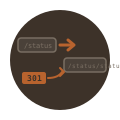
Uptime Kuma status pages use the URL pattern /status/{slug}. With a slug of “status”, the full URL becomes /status/status. This post covers redirecting /status to /status/status using NGINX Ingress annotations. The Problem Uptime Kuma’s status page URL structure is fixed: /status/{slug}. Creating a status page with slug “status” results in: https://uptime.minoko.life/status/status The goal: make /status redirect to /status/status for a cleaner URL. Configuration Snippets Are Disabled The obvious solution is an NGINX configuration snippet: ...

January 18, 2026 · 2 min · Will
VLAN Traffic Separation

VLAN Traffic Separation with MikroTik and OPNsense

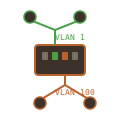
This post documents setting up VLAN separation to isolate Kubernetes cluster traffic from bulk data transfers on a dual-homed node. The minis node has two NICs - one for Kubernetes API and overlay networking, another for pod data traffic like large file downloads. The Problem The minis Kubernetes node in the DMZ became unresponsive during large file transfers. Pods downloading or uploading large files saturated the network connection, affecting Kubernetes API communication, kubelet health checks, and Calico VXLAN overlay traffic. ...

January 9, 2026 · 4 min · Will
MikroTik Switch Recovery

Recovering a MikroTik Switch After VLAN Misconfiguration Lockout

After enabling VLAN filtering on my MikroTik CRS310-8G+2S+ switch with an incorrect configuration, I lost all management access. The switch was unreachable via SSH, web UI, and ping. This post documents the recovery process using MAC-Telnet to regain access at Layer 2. The Problem The switch had VLAN filtering enabled with the uplink port (ether5, connected to OPNsense) configured as tagged for VLAN 1 when it should have been untagged. This meant: ...

January 9, 2026 · 5 min · Will
SSH Config

Simplifying SSH Access to Network Devices with SSH Config

Managing network devices via SSH typically involves remembering IP addresses, usernames, and sometimes non-standard ports. The SSH config file (~/.ssh/config) eliminates this overhead by defining named aliases with pre-configured connection parameters. The Problem Connecting to a MikroTik switch requires typing the full connection string each time: ssh [email protected] scp backup.rsc [email protected]:/ This becomes tedious with multiple network devices, each potentially having different usernames, ports, or key files. Solution Create an SSH config file with host aliases. ...

January 6, 2026 · 2 min · Will
Alertmanager Slack Notifications

Configuring Alertmanager Slack Notifications with kube-prometheus-stack

The kube-prometheus-stack Helm chart deploys Alertmanager with a default configuration that routes all alerts to a “null” receiver—effectively discarding them. This post documents configuring Alertmanager to send notifications to Slack. The Problem Default Alertmanager configuration: receivers: - name: "null" route: receiver: "null" # All alerts discarded Alerts fire, but nobody gets notified. Solution Architecture ┌─────────────────────┐ ┌──────────────────────┐ ┌─────────────┐ │ Prometheus │────▶│ Alertmanager │────▶│ Slack │ │ (fires alerts) │ │ (routes & groups) │ │ (#alerts) │ └─────────────────────┘ └──────────────────────┘ └─────────────┘ │ ▼ ┌──────────────────────┐ │ Routing Rules │ ├──────────────────────┤ │ critical → 1h repeat │ │ warning → 4h repeat │ │ Watchdog → silenced │ └──────────────────────┘ Directory Structure monitoring/alertmanager/ ├── .env.example # Webhook URL template ├── .env # Actual webhook (gitignored) ├── create-secret.sh # Creates Kubernetes secret └── README.md # Setup documentation Setup Step 1: Create Slack Webhook Go to https://api.slack.com/apps Click “Create New App” → “From scratch” Name: Alertmanager, select your workspace Go to “Incoming Webhooks” → Toggle “Activate” Click “Add New Webhook to Workspace” Select the channel for alerts (e.g., #alerts) Copy the webhook URL Step 2: Create Kubernetes Secret # monitoring/alertmanager/.env.example SLACK_WEBHOOK_URL=https://hooks.slack.com/services/XXX/YYY/ZZZ SLACK_CHANNEL=#alerts #!/bin/bash # monitoring/alertmanager/create-secret.sh set -euo pipefail SCRIPT_DIR="$(cd "$(dirname "${BASH_SOURCE[0]}")" && pwd)" if [ -f "$SCRIPT_DIR/.env" ]; then source "$SCRIPT_DIR/.env" else echo "Error: .env file not found" exit 1 fi kubectl create secret generic alertmanager-slack-config \ --from-literal=slack-webhook-url="${SLACK_WEBHOOK_URL}" \ --from-literal=slack-channel="${SLACK_CHANNEL}" \ --namespace=monitoring \ --dry-run=client -o yaml | kubectl apply -f - Run the setup: ...

January 4, 2026 · 5 min · Will
NetworkPolicy Defense in Depth

Adding NetworkPolicies for Defense-in-Depth with Linkerd

Linkerd provides automatic mTLS between all pods in the mesh. This encrypts traffic and provides identity verification. However, it does not restrict which pods can communicate with each other. Any pod in the mesh can connect to any other pod. Kubernetes NetworkPolicies add an additional layer of security by defining explicit allow rules at the network level. This provides defense-in-depth: if Linkerd’s proxy is somehow bypassed, NetworkPolicies still enforce access control. ...

January 3, 2026 · 6 min · Will