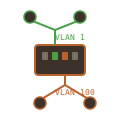
VLAN Traffic Separation

VLAN Traffic Separation with MikroTik and OPNsense

This post documents setting up VLAN separation to isolate Kubernetes cluster traffic from bulk data transfers on a dual-homed node. The minis node has two NICs - one for Kubernetes API and overlay networking, another for pod data traffic like large file downloads. The Problem The minis Kubernetes node in the DMZ became unresponsive during large file transfers. Pods downloading or uploading large files saturated the network connection, affecting Kubernetes API communication, kubelet health checks, and Calico VXLAN overlay traffic. ...


January 9, 2026 · 4 min · Will
Wiki HTTPS

Enabling HTTPS on Wiki.js with Let's Encrypt via OPNsense

Wiki.js was running on a LoadBalancer IP with no TLS. This post covers migrating to HTTPS using a Let’s Encrypt wildcard certificate managed by OPNsense, with automatic synchronization to Kubernetes. The Problem The wiki was accessible at http://192.168.2.204 with: No TLS encryption Direct LoadBalancer service exposure No ingress controller The goal: HTTPS with a publicly trusted certificate, no browser warnings. Architecture ┌─────────────────────────────────────────────────────────────────────────┐ │ OPNsense Firewall │ │ ┌────────────────────────────────────────────────────────────────────┐ │ │ │ ACME Client │ │ │ │ - Let's Encrypt account │ │ │ │ - Cloudflare DNS-01 validation │ │ │ │ - Wildcard cert: *.minoko.life │ │ │ │ - Auto-renewal at 60 days │ │ │ └────────────────────────────────────────────────────────────────────┘ │ └─────────────────────────────────────────────────────────────────────────┘ │ OPNsense API (daily sync) ▼ ┌─────────────────────────────────────────────────────────────────────────┐ │ Kubernetes Cluster │ │ ┌─────────────────────┐ ┌─────────────────────────────────────────┐ │ │ │ letsencrypt-sync │ │ ingress-nginx namespace │ │ │ │ CronJob (5 AM) │───▶│ letsencrypt-wildcard secret │ │ │ │ - Fetch from API │ └─────────────────────────────────────────┘ │ │ │ - Build cert chain │ ┌─────────────────────────────────────────┐ │ │ │ - Update secrets │───▶│ wikijs namespace │ │ │ └─────────────────────┘ │ letsencrypt-wildcard secret │ │ │ └─────────────────────────────────────────┘ │ │ │ │ │ ▼ │ │ ┌─────────────────────────────────────────────────────────────────────┐ │ │ │ ingress-nginx-controller │ │ │ │ LoadBalancer: 192.168.2.224 │ │ │ │ │ │ │ │ Ingress: wiki.minoko.life ──▶ wikijs:80 │ │ │ │ TLS: letsencrypt-wildcard secret │ │ │ └─────────────────────────────────────────────────────────────────────┘ │ └─────────────────────────────────────────────────────────────────────────┘ Prerequisites OPNsense with ACME plugin configured for Let’s Encrypt Cloudflare (or other DNS provider) for DNS-01 validation Existing wildcard certificate for *.minoko.life Step 1: Install ingress-nginx Controller Create the ingress-nginx infrastructure: ...

January 3, 2026 · 7 min · Will
IDS Monitoring

OPNsense IDS Monitoring with Suricata, Loki, and Grafana

OPNsense includes Suricata for intrusion detection, but the built-in alerts page provides limited visibility. This post covers forwarding IDS alerts to Loki via syslog and visualizing them in Grafana alongside firewall logs. Architecture ┌─────────────────┐ UDP/514 ┌──────────────────┐ │ OPNsense │ RFC5424 │ Promtail │ │ ┌───────────┐ │ ───────────────▶ │ (syslog recv) │ │ │ Suricata │ │ │ 192.168.2.221 │ │ │ filterlog │ │ └────────┬─────────┘ │ └───────────┘ │ │ └─────────────────┘ ▼ ┌──────────────────┐ │ Loki │ │ (log storage) │ └────────┬─────────┘ │ ▼ ┌──────────────────┐ │ Grafana │ │ (dashboards) │ └──────────────────┘ Prerequisites OPNsense firewall with Suricata IDS enabled Kubernetes cluster with Loki deployed MetalLB or NodePort for exposing the syslog receiver Step 1: Enable Suricata IDS on OPNsense Navigate to Services → Intrusion Detection → Administration. ...

January 1, 2026 · 5 min · Will
Firewall Configuration

Configuring OPNsense Firewall Rules via API for Cross-VLAN Kubernetes

When I needed to add a node from my DMZ to my Kubernetes cluster on the LAN, I discovered OPNsense has a comprehensive REST API that lets you manage firewall rules programmatically. No clicking through the UI - just curl commands that create rules properly tracked in the configuration and included in backups. The Problem My Kubernetes cluster lives on my LAN (192.168.2.0/24), but I wanted to add a machine from my DMZ (192.168.4.0/24). By default, DMZ traffic can’t reach the LAN - that’s the whole point of a DMZ. I needed to punch specific holes for Kubernetes traffic while keeping everything else blocked. ...

December 28, 2025 · 10 min · Will